
Pirehub by ntanduy — Research, create and use tools with Pirehub AI.
Work with AI, search and read the web, create images and use supported tools from one workspace. Bring developer APIs into your own applications.
AI use requires sign-in and is subject to account access, credits and enabled tools. Check AI plans for current usage costs.

Illustrative web connections
Live routes
Operational
Global edge
Realtime
Simulated values for this illustration; not production metrics.




















Choose the capability your task needs.
Start in the AI workspace, explore web information or use a developer tool directly. Each product has its own access conditions.
Pirehub AI
A workspace for conversation, web research, image creation and supported tool actions.
Sign-in, credits and tool availability apply.
Web Intelligence
Search and read websites with AI, or capture public webpages through the Screenshot API.
Search and crawling are AI tools; screenshots and social embeds have documented APIs.
Developer APIs & Tools
Domain and DNS lookups, screenshots, shortlinks, media tools and bank-transfer QR codes.
Use direct tools or the documented API and MCP capabilities. Access modes vary by tool.
Pirehub Cloud
Explore the existing cloud plans and discuss the resources your application needs.
Cloud purchases are separate from AI and API plans. Confirm availability and fulfillment with support.
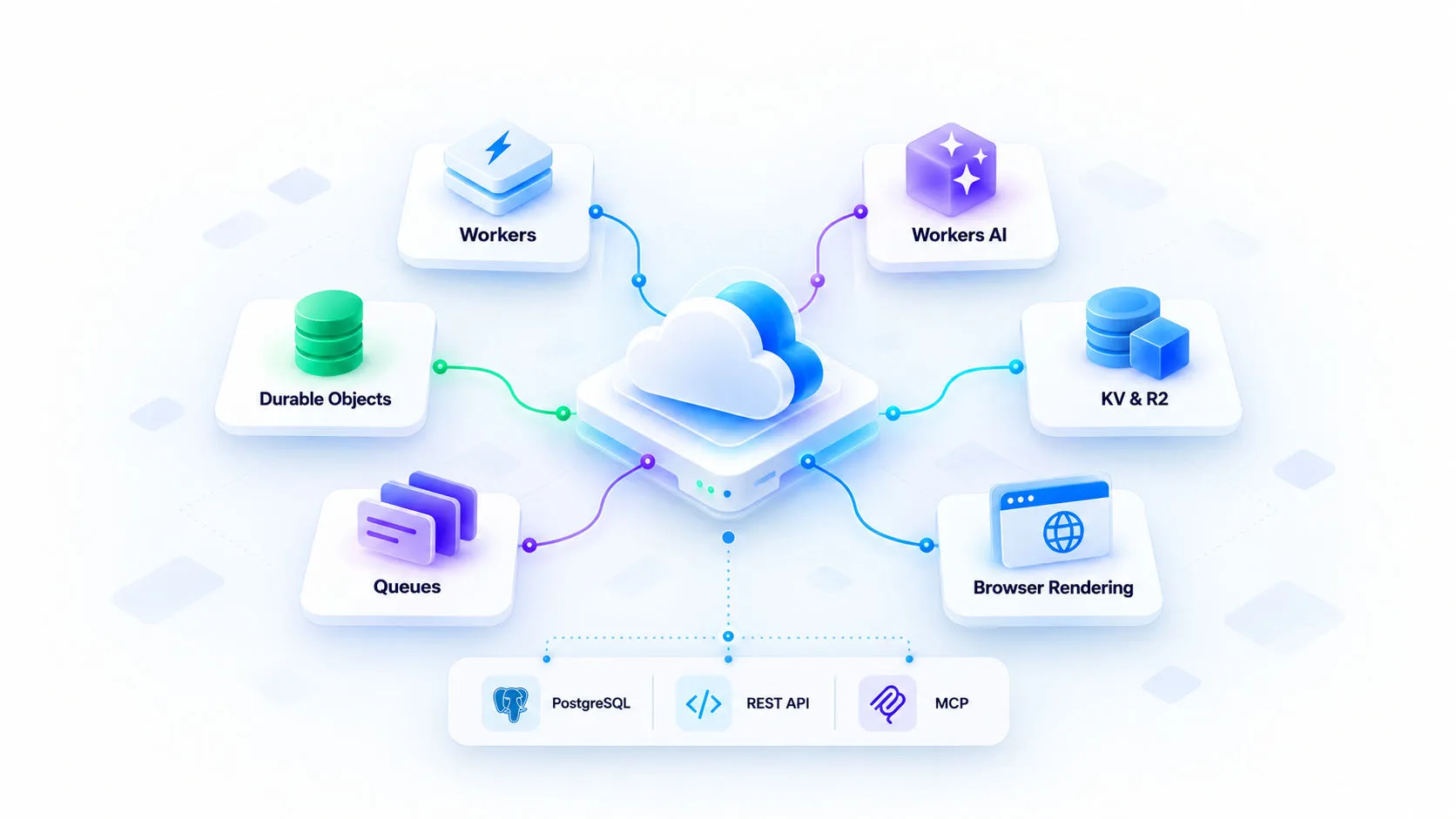
Infrastructure illustration. Figures shown in the artwork are examples, not measured Pirehub performance or service guarantees.
Cloud infrastructure for AI and web tools.
Pirehub combines Cloudflare serverless compute, AI inference, stateful services and storage to support its AI workspace, web tools and developer integrations.
Cloudflare serverless runtime
Data stores: PostgreSQL & Redis
Interfaces: REST & MCP
AI and API access depends on enabled tools, credentials and usage limits. Cloud resource plans are purchased separately.
From a question to a useful result
A typical AI-assisted task: ask, gather information, use a supported tool and review the result. Tool access depends on your account and model.
Ask a question
Describe what you want to research, create or look up.
Gather information
Use enabled search and website-reading tools for context.
Use a supported tool
Generate an image, look up WHOIS or manage a shortlink.
Review the result
Check AI output and external sources before using them.
Build with REST APIs and MCP
Protected API operations require an issued key or supported OAuth scopes. Plans, quotas and permissions apply. See the documentation or contact support for access.
Use documented domain, DNS, IP, screenshot, social-embed, video and bank QR capabilities in your application. MCP exposes the supported tools listed by the server.
Connect your application
RESTCall documented REST endpoints from your own application or workflow.
Use supported tools through MCP
MCPInitialize the MCP server and inspect its tool list before calling an operation.
Look up domain information
WHOIS / DNSUse WHOIS, DNS and IP endpoints with their documented inputs and limits.
Capture pages and resolve embeds
PNG / oEmbedUse the Screenshot API for PNG capture and oEmbed for supported social posts.
Build from the contract
OpenAPIRead OpenAPI, required scopes, quotas and error responses before integrating.
Use documented APIs in your own workflows. Pirehub does not currently offer a general-purpose workflow builder.
Illustrative request and response, not a live result. Replace the sample key with an issued key with the required scope.
Cloud plans for your application
Cloud plans are separate from AI credits and developer API plans. Contact support to confirm resources, region and fulfillment before ordering.
Starter
Perfect for developers starting small and looking for great value at a low cost.
$10.00/monthResources
Pro
All the power you need to take your project to the next level.
$20.00/monthEverything in Starter, plus:
Business
Production-ready resources for teams that need more performance, security, and control.
$49.00/monthEverything in Pro, plus:
Choose a plan for the capability you use
AI credits, developer API allowances and cloud resources have separate plans. Review the relevant terms and checkout total before purchasing.
Review prices before paying
(View plans)Check the plan, billing period and final amount shown in checkout.
Understand API access
(Read docs)An issued credential needs the permissions required by the operation.
Use each product on its terms
(Read docs)AI, APIs and cloud have different access and usage conditions.
Know what your plan covers
Check these details when choosing a product or starting an integration.
Permissions
API operations require the documented authentication and scopes.
AI credits
AI use is subject to account access and available credits.
Bank QR tool
Generate a bank-transfer QR code through the tool or supported API.
Usage limits
API quotas and provider limits apply to supported operations.
Separate cloud plans
Confirm resources, region and fulfillment with support.
Documentation & support
Read product documentation or contact Pirehub with questions.
Technology behind Pirehub
Pirehub builds its workspace, tool orchestration and developer interfaces around third-party infrastructure and services. These links are references, not a deployment marketplace or partnership claim.


What to know before you start
Understand product access, AI tools and where to find documentation.
Refund Policy
Pirehub only offers refunds for cloud and server services within 7 days if critical technical issues occur. Domain services are non-refundable once registered. Please consider carefully before making a purchase.